Rehaunted Issue Checker

Compare saved official notes with your patch. Suggested steps have not been reproduced by us.

In the official notes saved through 2026-09-23, Rehaunted crashing when the entity catches you has no recorded fix or mention, and players disagree on whether the -dx11 launch option helps, so both reports are below. The other known issues are a bathroom lock-in, a crib or evidence board that will not respond, garbled Japanese text and a first haunting that catches players again and again. Pick yours in the filter to see what your patch changed. Nothing here is tested by us yet.

Last checked 2026-09-20

Rehaunted crashing and the other problems players report

Five known issues from the Steam discussions we collected on 2026-09-20, starting with Rehaunted crashing. Each case sheet keeps the player reports, the official posts and our own reading apart.

Issue 01 Conflicting reports

Rehaunted crashing after getting caught

The game crashes when the entity catches you. One player's fix is the -dx11 launch option; another player says it made things worse.

Does -dx11 stop Rehaunted crashing? Reports conflict

Report 1: it worked

Posted Sep 18

Forcing DirectX 11 by adding -dx11 to the game's launch options in Steam stopped the crash after getting caught. The same player also saw a large frame rate gain on Steam Deck.

Report 2: it did not

Posted 2026-09-20

Still had the same problem with -dx11 set, and with it the game would not even open.

Later, from the first poster

Posted 2026-09-20

The fix may only apply to Steam Deck or Linux. They run the game through Proton 11 and GE Proton.

We have not tested either report. Both are shown because they disagree.

More from players

Same problem, another thread

Posted Sep 17

A player says the game crashes every single time the entity kills them.

What the official posts say

  • None of the eight official posts, re-read on 2026-09-23, mentions a crash after getting caught.

    Official N001
  • The store lists DirectX 11 in the minimum requirements and DirectX 12 in the recommended ones.

    Official S001

Our reading, not a tested fix

Treat -dx11 as something to try, not a fix. If the game stops launching after you add it, or the crashes carry on, take it out of the launch options again.
Issue 02 Check your patch

Stuck in the bathroom after finding the hair

After the hair clue in the bathroom sink, a haunting starts, the light goes out and the door stays shut.

What players report

Player report

Posted about 15 hours before our 2026-09-20 check

Right after finding the evidence about the hair in the sink, a haunting starts and the room goes dark. The flashlight goes out, the door will not open, and all the player can do is walk around the room.

What the official posts say

  • UPDATE 04

    UPDATE 04 fixed a major blocker in the upstairs bathroom event, where some players got permanently stuck in the laundry room and had to restart. It also fixed a few less common blockers elsewhere.

    Official N001

Our reading, not a tested fix

This report came in after UPDATE 04 and describes the bathroom, not the laundry room, so it may be a different blocker. Check that Steam has installed the latest update before you restart. We have not reproduced it.

Issue 03 No confirmed fix

The crib or the evidence board will not respond

Two reports of a last step that will not register: the crib in the kids' room, and the yes or no choice on the evidence board.

What players report

The crib

Posted Sep 14

One clue short, the player had found something in every room except the kids' room. The crib says it can be interacted with, but clicking it does nothing, and restarting several times did not help.

The evidence board

Posted Sep 18

On the evidence board the yes or no choice will not select and the board lags. Pressing several times moves on, but the menu stays on screen.

What the official posts say

Our reading, not a tested fix

The crib report is from before UPDATE 03, which changed that sequence, but no post says it fixes this. The evidence board report came after UPDATE 06.

Issue 04 No fix posted

Garbled Japanese text in notes

Japanese text in the in-game notepad shows up as garbled characters.

What players report

Player report

Posted Sep 18

Japanese text in the in-game notepad shows up garbled. The player asks the developer to correct it and links a screenshot.

What the official posts say

  • UPDATE 06

    UPDATE 06 says the team is updating missing translations. It does not mention garbled text.

    Official N001
  • Japanese is one of the eleven languages the store lists for the game.

    Official S001

Our reading, not a tested fix

Reported the day after UPDATE 06. We will update this entry when an official post mentions it.

Issue 05 Changed in four updates

Can't survive the first haunting

Several players say the entity catches them in the first haunting whatever they do. Hauntings have changed in four updates since launch.

What players report

The question

Posted Sep 16

The player locked themselves in, looked for the entity through the magnifying glass and the UV light, flashed it with the camera, and was still caught every time.

A reply

Posted Sep 16

The camera does stun the entity, but only for about two seconds, which this player found too short to help.

Another reply

Posted Sep 17

You have to spot the entity through the magnifying glass first. Only then does a photo stun it; blind shots do nothing.

Another thread

Posted Sep 16

One player says the creature killed them six times in 30 minutes, too often to enjoy the game.

What the official posts say

  • UPDATE 01

    UPDATE 01: enemies should no longer spawn in small or enclosed rooms, you can run through the entity after photographing it to blind it, and the tutorial stays on screen longer.

    Official N001
  • UPDATE 02

    UPDATE 02: haunting encounters are slightly shorter and more intuitive.

    Official N001
  • UPDATE 03

    UPDATE 03: new pacing and flow for haunting sequences, and a reworked tutorial.

    Official N001
  • UPDATE 05

    UPDATE 05: the game pauses while the first Haunting tutorial is on screen.

    Official N001

Our reading, not a tested fix

If you played before UPDATE 05, the tutorial may have gone by too fast; it now pauses so you can read it. We have not tested a way through on the current patch yet.

Rehaunted crashing after the entity catches you

Both crash reports describe the same moment: the entity catches the player and the game crashes. The two -dx11 reports sit side by side in the first case sheet above; this part covers what they depend on. No official post mentions Rehaunted crashing, and we have not reproduced it.

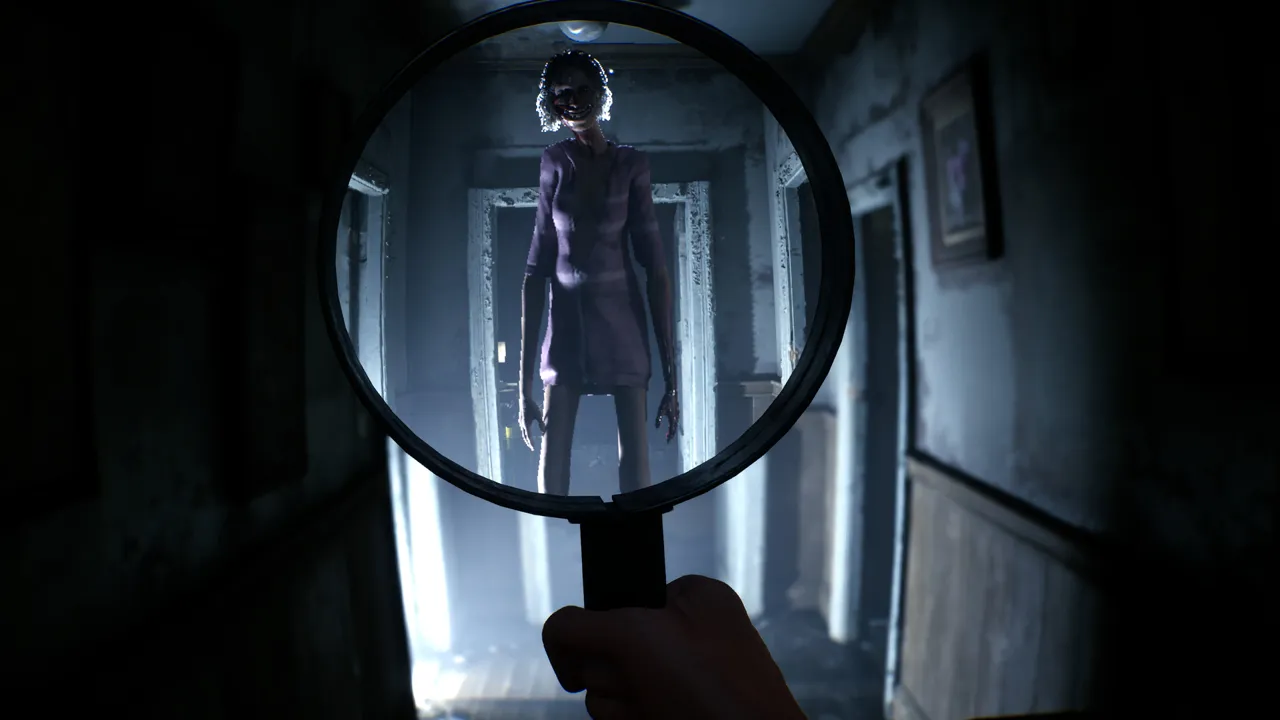
First-person view through a magnifying glass: a tall, thin figure in a purple dress stands at the end of a dark hallway
A store screenshot seen through the magnifier. Both reports of Rehaunted crashing come at the moment the player is caught.Image: © Cauchemar, official Steam store screenshot.

Rehaunted crashing on Steam Deck and Linux

The store lists Windows only, so on Steam Deck or Linux the game runs through Proton; the player whose crash stopped runs the latest Proton 11 and has tested GE-Proton. With -dx11 they also report 50 to 60 fps on Steam Deck at epic settings, with motion blur and post-processing at their lowest and no upscaler or frame generation. The developer's pre-launch post gives about 30 to 40 FPS on Medium and High with FSR or XeSS and Frame Generation turned on, and does not mention -dx11.

The player whose game still crashed with -dx11 set does not say which system they play on.

Check the Rehaunted system requirements first

  • Minimum: 64-bit Windows 11, Intel Core i5-8400 or AMD Ryzen 5 2600, 16 GB of RAM, a GTX 1070 Ti with 6 GB of video memory, DirectX 11 and 12 GB of storage.
  • Recommended: an Intel Core i7-6700K or AMD Ryzen 5 3600, 16 GB of RAM, an RTX 3070 with 8 GB of video memory and DirectX 12.

Check your PC against these before you blame a patch for a crash. DirectX 11 is the store's minimum and DirectX 12 its recommendation; the -dx11 launch option, per the first poster, forces the game onto DirectX 11.

How to add or remove a launch option

In the Steam client, right-click the game in your Library, choose Properties, and type the launch option into the Launch Options box on the General tab. To undo it, clear the box. If the game stops opening after you add -dx11, as the second player found, clearing that box is the first thing to try. These are Steam's own settings, not something the game adds.

Known issues the Rehaunted patches already fixed

These known issues are named in the official posts themselves, each with the update that fixed it. Rehaunted crashing after getting caught is not among them. If you are on that update or later and still see one, no patch note covers it yet. Every change is on the patch notes page.

Shader screen stuck at 0%

Since UPDATE 01 you can continue from a shader screen stuck at 0% straight to the Main Menu, and the screen only appears on the first launch. It is a stuck loading screen, not a crash.

Radio answers and the Shift key

The first radio system used Shift and, in the developer's words, could fail or interfere with moving and interacting. UPDATE 02 rebuilt it: answers appear on their own and you confirm with the Interaction button.

The Quick Access Wheel and objects in your hands

UPDATE 06 fixed the wheel sometimes staying stuck on screen and several objects appearing in your hands at once, and added direct tool shortcuts you can rebind.

The flashlight and the UV light

UPDATE 03 fixed the flashlight turning invisible after a flicker and the UV light not working correctly in the tutorial.

A character stuck in a doorway

On Sep 16 a player reported that after a scripted sequence upstairs, a character kept standing in the doorway of the kids' room, even after restarting; a second player replied with the same problem. UPDATE 06 fixed a character sometimes staying on the map after she should have disappeared. The post does not name the scene, so linking the two is our reading.

How to report Rehaunted crashing and other known issues

Cauchemar asks for reports on Steam: UPDATE 01 says "let us know here", and UPDATE 02 asks players to keep reporting issues. The developer's website is under construction and lists a contact email.

A report of Rehaunted crashing is easier to act on when it gives your update (the latest is UPDATE 06), Windows or Steam Deck, any launch option you set, and what happened just before. The -dx11 thread shows why the system matters: the fix that worked on Steam Deck made things worse for another player.

Some known issues have no patch note at all: a tension sound effect one player finds too loud to hear conversations over, invert mouse that is lost when you zoom in on the laptop or the clue board, and a player stuck in a room for over ten minutes while a phone kept ringing, unable to use the tool wheel. That last post is too close to UPDATE 06 to tell which version it came from. Phone-call achievements are on the achievements page, and the stuck points by patch start on the home page.

Rehaunted crashing FAQ

Is Rehaunted crashing fixed in UPDATE 06?

No official post mentions the crash after getting caught, UPDATE 06 included. We read all eight posts again on 2026-09-23 and found nothing newer.

Does the -dx11 launch option fix Rehaunted crashing?

For one player on Steam Deck it did. For another, the game would not even open with it. Treat it as something to try, and clear the launch option again if the game stops launching.

Why is Rehaunted crashing when she catches me?

The reports say when it happens, at the moment the entity catches the player, not why. No official post explains it.

Where do I report Rehaunted crashing?

In the Steam discussions or under the official announcements, where the developer asks players to keep reporting issues. You can also pin the scene with the form on this page.

Which scene are you stuck at?

Pin a note for us. Nothing on this site is tested by us yet, and the scenes players send are the ones we play and check first.

The lead form is offline right now. Email us the scene instead.

Email your lead